Hidden camera detector app for iPhone & Android
Check your room for hidden cameras.
Room Privacy turns your phone into a hidden camera finder for hotel rooms and rentals. Scan the Wi-Fi and nearby Bluetooth devices, then look closer at clocks, chargers and smoke detectors for lens glints and infrared light.


Free to download. No account.
The tools
Five checks, one phone
Every tool looks for a different way a camera gives itself away: the network it joins, the signal it sends, the lens it can’t hide and the light it needs at night.
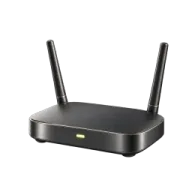
Wi-Fi scan
Lists the devices on the network you joined and flags any that offer a camera or video connection.

Bluetooth scan
Shows what is broadcasting nearby. Walk the room and watch a signal climb as you get closer.
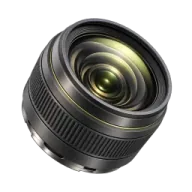
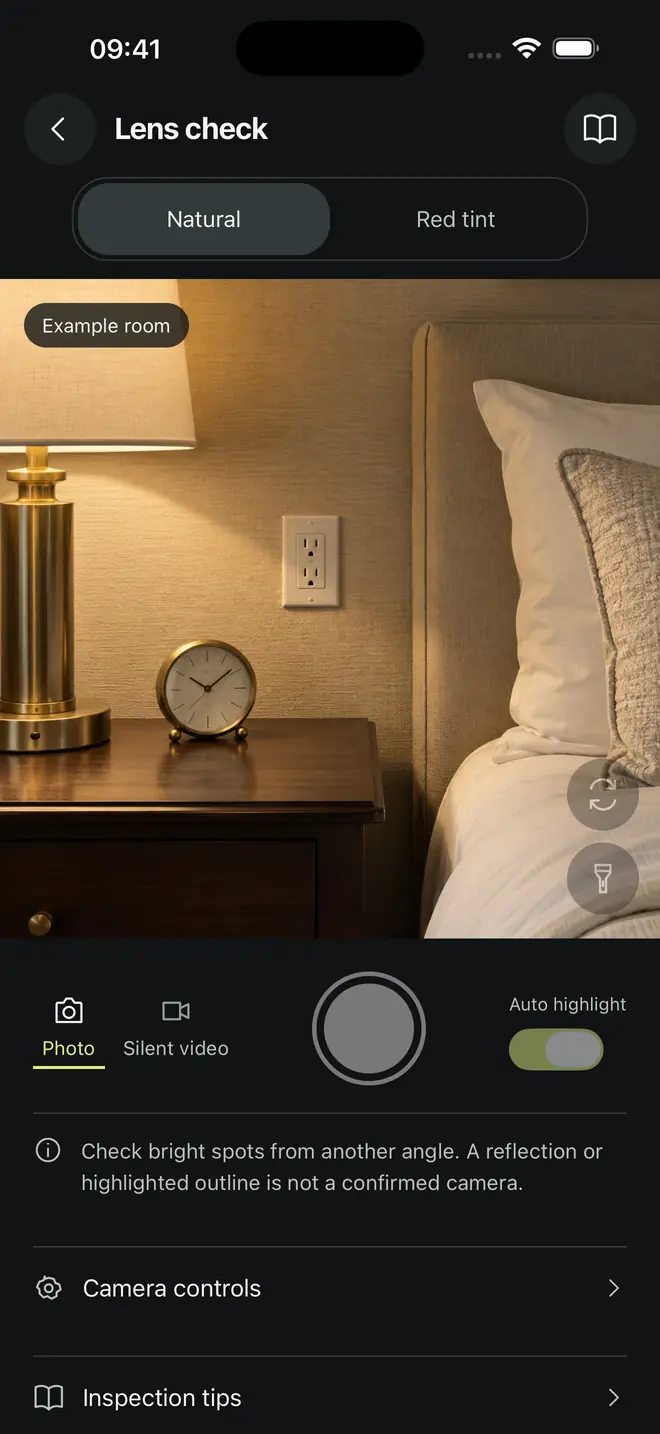
Lens check
Flashlight, zoom and a red-tint view help you catch the glint of a small lens. Round details get highlighted.
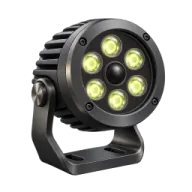
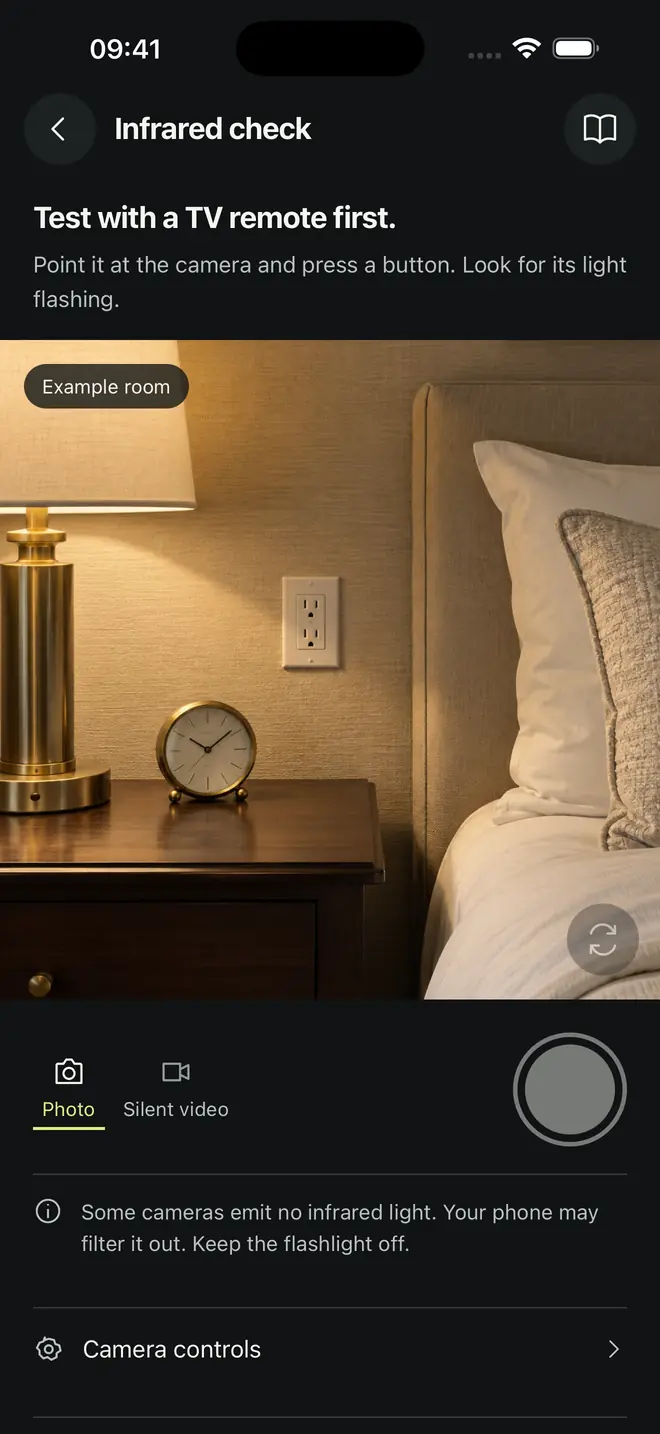
Infrared check
Night-vision cameras light the room with infrared your eyes miss. Your phone camera often picks it up.

Magnetic readings
On phones with a magnetic sensor, compare readings near an object you are unsure about.
How it works
How a room check goes
About 15 minutes for a hotel room, guided step by step. The screens are the real app with an example room.


Start with the network
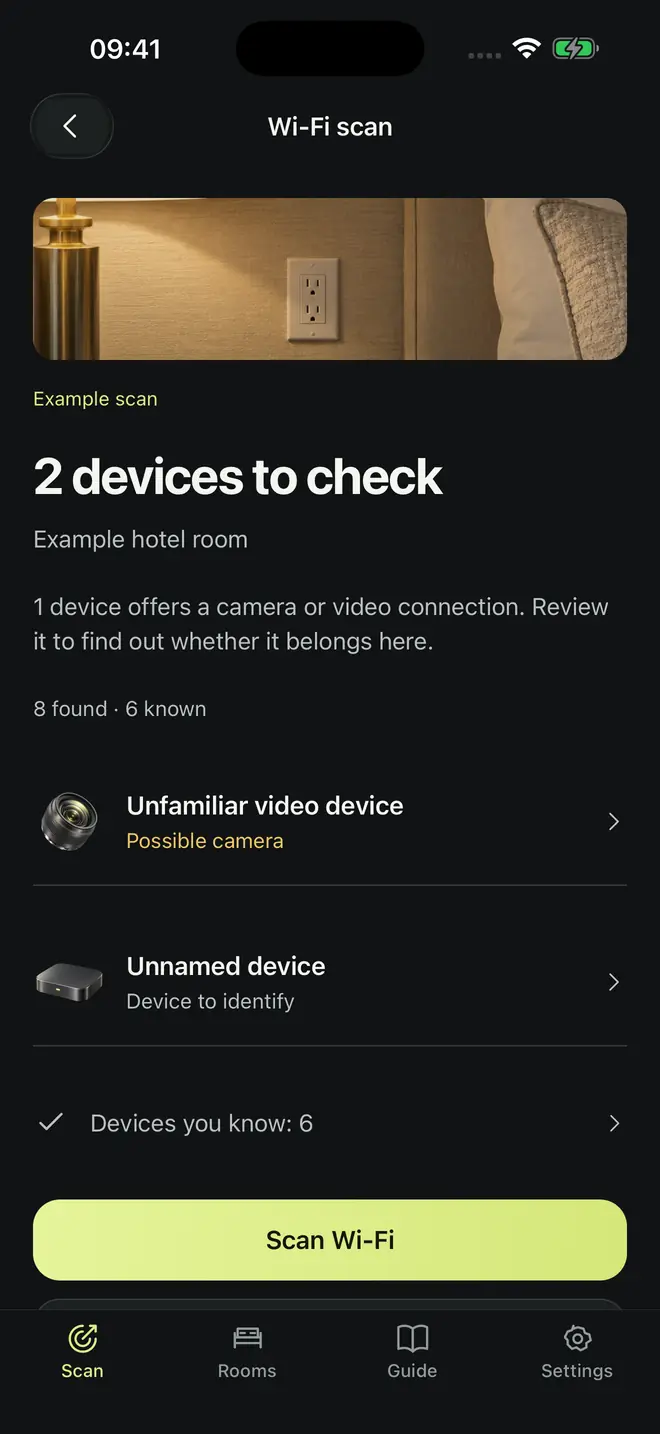
Join the room’s Wi-Fi and scan. Room Privacy separates devices you know from devices to check, and marks anything that offers a camera or video connection.
Look closer at objects
Point the camera at clocks, chargers, smoke detectors and shelves that face the bed. Turn on the light and move slowly. A lens throws back a small, steady pinpoint.
Turn the lights off
Test with a TV remote first to see whether your phone shows infrared. Then sweep the dark room for faint purple or white dots, often in a ring.
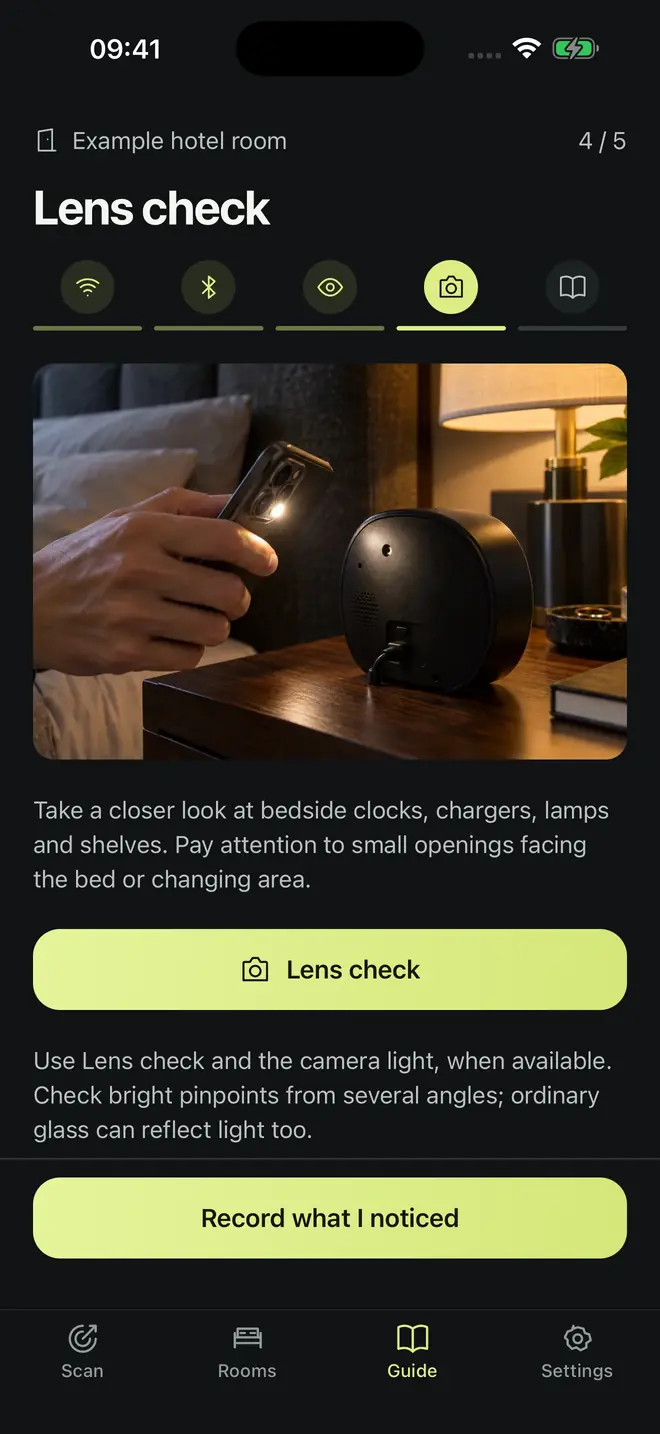
Follow the checklist
A five-stage plan walks you through sleeping and changing areas, so the bathroom vent doesn’t get skipped at 1 a.m. after a long flight.
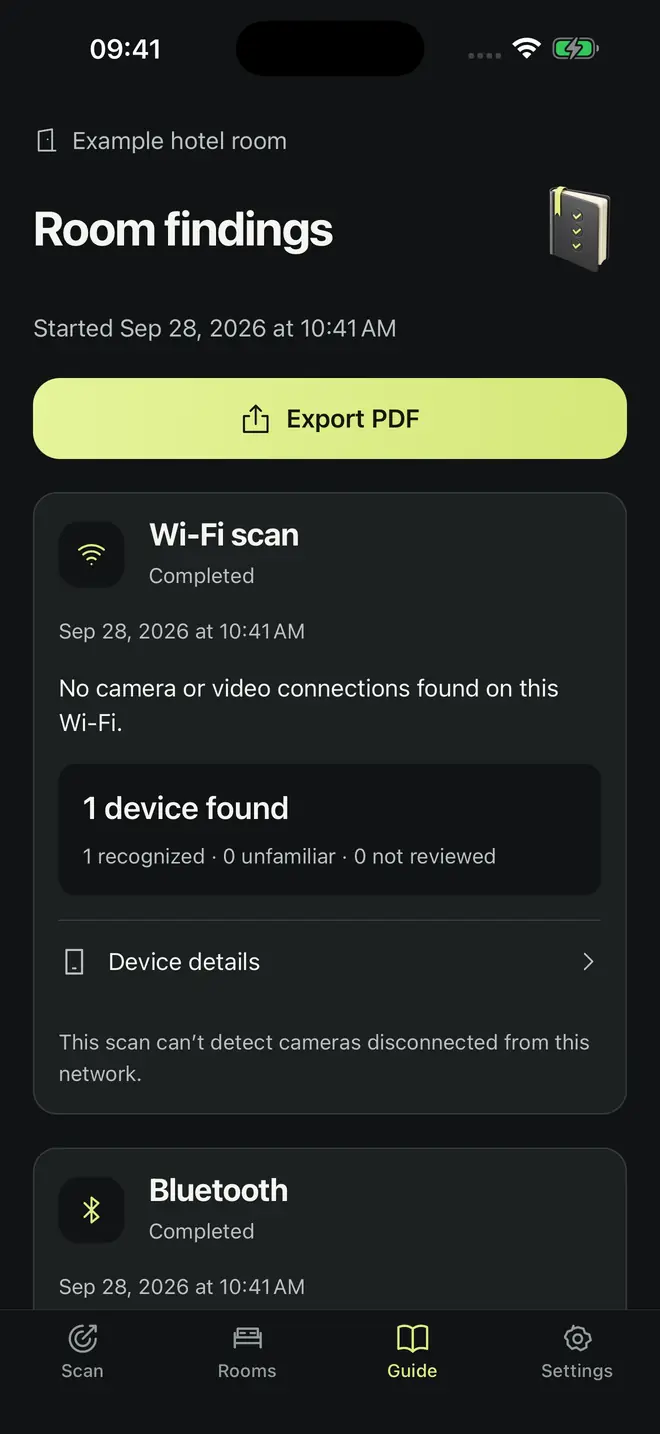
Keep a record
Photos, silent clips and notes stay with each room on your phone. Export a PDF of your findings if you need to show a host or the front desk.
Straight answers
What a phone can find, and what it can’t
No app can promise a room is camera-free, so Room Privacy doesn’t try. It shows you the clues it can see and how much weight each one carries.
Your phone can
- List devices on the Wi-Fi network you joined, with names and camera-service clues
- Show Bluetooth devices broadcasting nearby and how their signal changes as you move
- Help you catch the glint of a lens when light hits it at the right angle
- Show infrared lights, if your phone’s camera lets them through
It can’t
- See cameras on another network, on cellular data or recording to a memory card
- Find a device that is switched off or not broadcasting
- Prove that something is a camera. A glint or a “possible camera” label is a reason to look closer
- Promise that a room is camera-free
Where to look
Where hidden cameras usually hide
A camera needs power, a clear view and somewhere to blend in. Start with objects that face the bed, the shower or where you change.
Guides
How to check a room, step by step
Practical checks that work with or without the app. All guides

How to find hidden cameras in a hotel room or rental
The order that works: network first, then light, then infrared, then the objects that face the bed.
How to find hidden cameras with your phone
Four phone sensors that help, what each one misses, and whether detector apps work at all.
Hidden cameras in Airbnb: what’s allowed and how to check your stay
Airbnb’s indoor camera ban, Vrbo’s rules, and a check built for rentals with home Wi-Fi.
How to tell if a smoke detector, clock or charger is a hidden camera
Pinholes, odd placement and missing parts: the giveaways on the three most common disguises.
How to spot night-vision cameras with your phone’s camera
The TV remote test, how to sweep a dark room for IR dots, and what infrared can’t show you.
RF detectors for hidden cameras: what they find and what a phone can do
Why RF detectors beep at everything in a hotel, and what a phone can identify instead.
How to tell if a mirror is two-way
The flashlight test, the mounting check, the knock test, and why the fingernail test misleads.FAQ
Hidden camera questions
Short answers to what people ask before they check a room. Each links to a longer guide.
Can my phone detect hidden cameras?
Partly. Your phone’s camera and flashlight can reveal lens reflections and some infrared lights, and an app can list devices on the Wi-Fi network and nearby Bluetooth broadcasts. None of that proves a device is a camera, but it tells you where to look closer.
Finding cameras with your phoneHow do I check a hotel room for hidden cameras?
Scan the room’s Wi-Fi for devices that offer video, then darken the room and sweep slowly with a flashlight to catch lens glints. Check for infrared dots through your phone camera and inspect anything that faces the bed, shower or changing area. It takes about 15 minutes.
The full room checkAre hidden cameras allowed in an Airbnb?
No. Airbnb bans security cameras and recording devices that monitor indoor spaces in every listing, even if they are switched off. Hosts may use outdoor cameras only if the listing discloses them. Vrbo also bans surveillance devices inside rentals.
Airbnb camera rules and how to checkWhere are hidden cameras usually hidden?
Most are disguised as things a room already has: smoke detectors, alarm clocks, USB chargers, speakers, picture frames and plants. Look hardest at objects that point at the bed, the shower or the place you change.
How to inspect common disguisesCan a phone camera see infrared night-vision lights?
Often, yes. Many phone cameras pass some infrared light, which shows up as faint purple or white dots. Point a TV remote at your camera and press a button to test: if you see a flash, your phone can help you spot night-vision LEDs.
The infrared checkIs a hidden camera app the same as an RF detector?
No. A phone cannot measure raw radio signals the way a handheld RF detector does. A phone app can list devices on the Wi-Fi network and nearby Bluetooth, which identifies many wireless cameras by name and service instead of beeping at every router.
RF detectors compared with phonesHow can you tell if a mirror is two-way?
Turn off the room lights, press your phone’s flashlight against the glass and cup your hands around it. A two-way mirror lets light through so you can see the space behind it. A normal mirror stays opaque. The fingernail test is not reliable.
Four mirror testsIs Room Privacy free?
Room Privacy is free to download and includes one Wi-Fi or Bluetooth scan, a preview of one device and a short preview of the camera tools. Room Privacy Pro, a weekly or yearly subscription, unlocks every device detail, repeat scans, untimed lens and infrared checks, extra rooms and past scans.
Does Room Privacy upload my room photos?
No account is needed, and room records, photos and clips are saved on your phone. They leave it only if you export them or your phone backup includes them. The app uses service providers for purchases, usage and error reports, and any feedback you choose to send.
Privacy policyCheck the room before you unpack.
Room Privacy is free to download on iPhone and Android. A Wi-Fi scan takes about 30 seconds.